pi.dev, OpenCode, and Codex Desktop Clock Benchmark
I tested GPT 5.5 Thinking High across pi.dev, OpenCode, and Codex Desktop. pi.dev won on speed, OpenCode won on UI, and Codex hit a lamp-switch bug.
Testing Prompt to the Agent
“Create a single-page web application using HTML5, CSS3, and Vanilla JavaScript that simulates an analog wall clock within a minimalist 3D-styled room. The room should be constructed using CSS perspective and gradients to provide a sense of depth, including both walls and floor elements. The wall clock must be circular with a modern skeuomorphic design, featuring subtle shadows and realistic material textures. Use Arabic numerals (1-12) styled with the ‘Inter’ font from Google Fonts for a professional and clean aesthetic.
Include an interactive light switch in the room that dynamically adjusts the ambient lighting and shadows when toggled. Implement an automatic theme system where the room transitions into a dark mode if the local time is between 6:00 PM and 6:00 AM, and switches back to light mode otherwise. For the clock animation, ensure the second hand moves in a continuous, smooth sweep using requestAnimationFrame rather than jumping stiffly every second.
Add a separate control panel containing sliders for manually adjusting the hours, minutes, and seconds. Once a user interacts with these sliders, the clock should enter a manual mode where time continues to progress forward from the user-defined point. Provide a synchronization button that allows the user to instantly reset the clock to match the current system time.
When writing the code, do not include any comments or error-checking and validation logic unless strictly necessary for core functionality. Use highly descriptive and meaningful variable names to ensure the code remains readable and self-explanatory. Maintain a clean, modular, and well-organized code structure, providing the HTML, CSS, and JavaScript as a complete, ready-to-run output.”
3 Agents, 1 Model, 1 Prompt
I tested how GPT 5.5 Thinking High behaves across different AI coding agent harnesses using the exact same high-detail UI/UX request.
The challenge was simple in idea, but pretty demanding in execution: build a complete 3D Wall Clock web app with HTML5, CSS3, and vanilla JavaScript. It needed a 3D-styled room, skeuomorphic clock design, smooth second-hand animation, automatic theme switching, an interactive light switch, manual time controls, and a sync button.
Repository for the benchmark project: github.com/jo0707/llm-clock-benchmark
The three tools I compared:
- pi.dev
- OpenCode
- Codex Desktop
Same model. Same prompt. Same goal.
But the results? Surprisingly different.
Result Summary
| Rank | Platform | Duration | Highlight |
|---|---|---|---|
| 🥇 | pi.dev | 2:20 | Winner for speed |
| 🥈 | OpenCode | 2:50 | Winner for UI/design |
| 🥉 | Codex Desktop | 3:53 | Encountered a lamp-switch bug |
The biggest surprise for me was pi.dev. It finished in only 2 minutes and 20 seconds, while still producing a result that was in the same overall range as the others.
That is fast. Like, “wait, did it already finish?” fast. 😄
Test 1: pi.dev — Winner for Speed
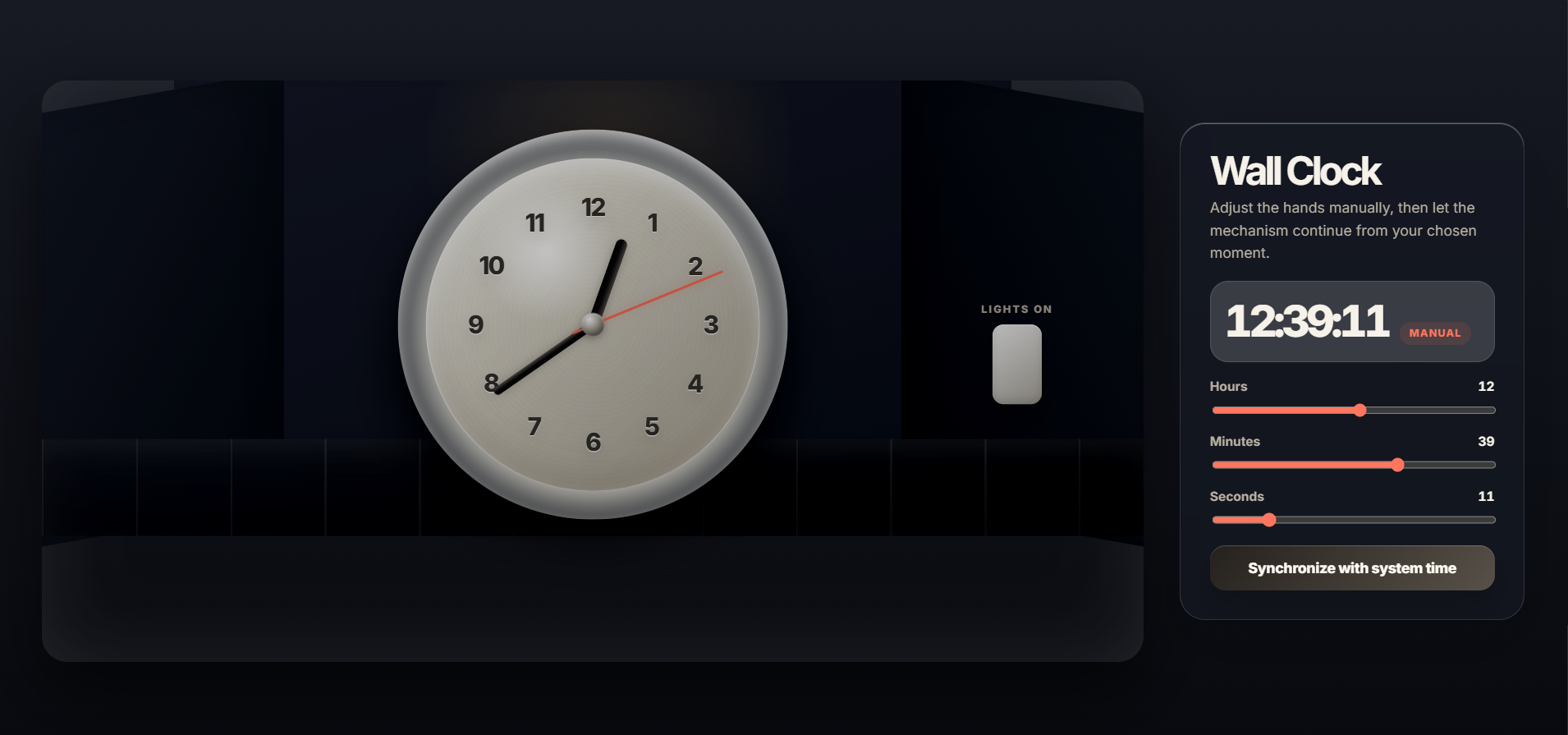
pi.dev completed the task in 2:20.
This was the result that surprised me the most. The prompt was not tiny. It asked for visual depth, room perspective, clock animation, theme logic, lighting controls, manual sliders, and clean code structure.
Yet pi.dev moved through it very quickly. The result was not just fast for the sake of being fast either. It still reached the expected direction and delivered a usable implementation.
The best way I can describe it: pi.dev felt like it skipped the warm-up lap and immediately started sprinting.
For workflows where speed matters, like quick prototyping, repeated UI experiments, or rapid iteration, this kind of response time feels really nice.
Test 2: OpenCode — Winner for UI/Design
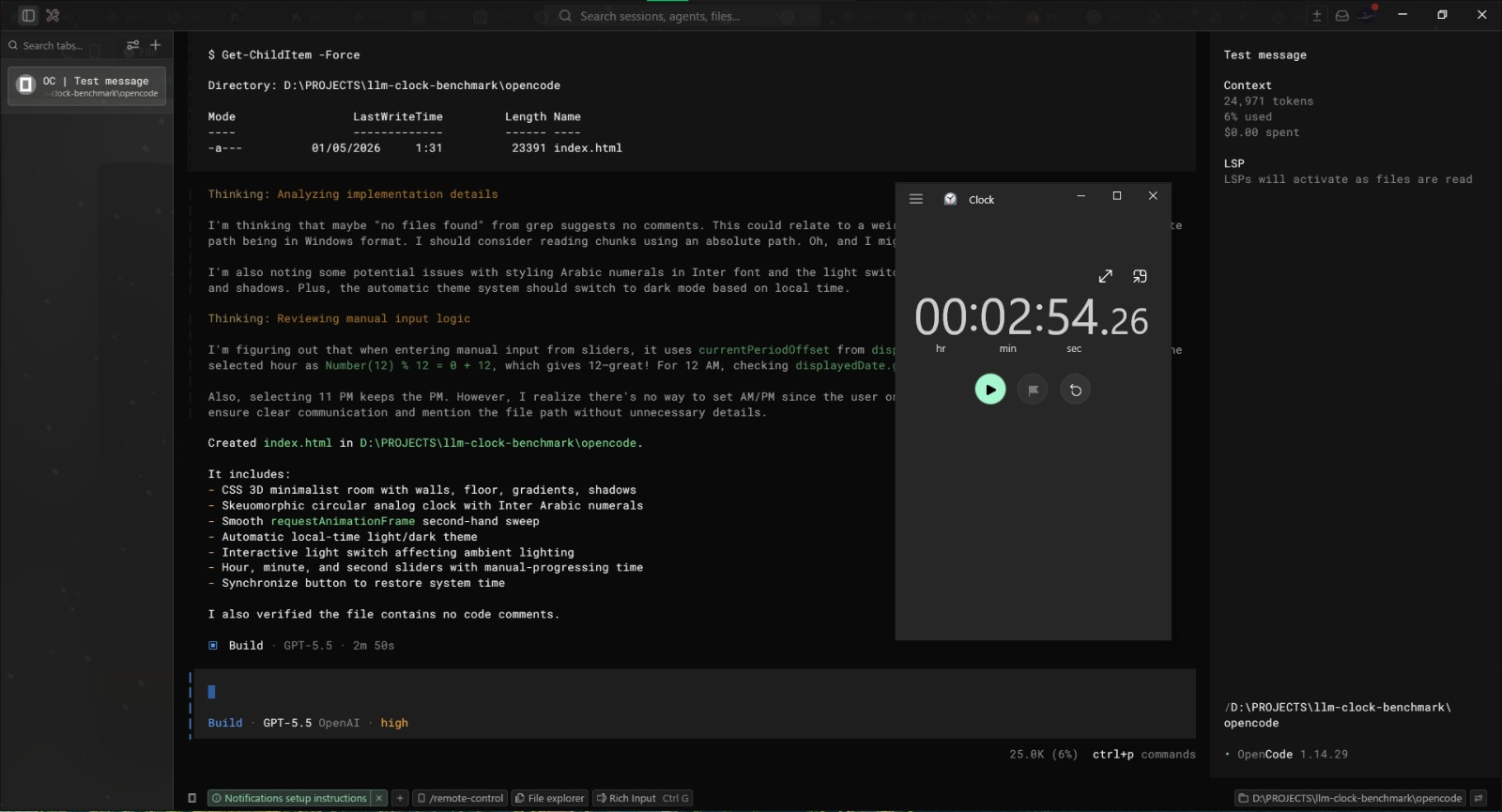
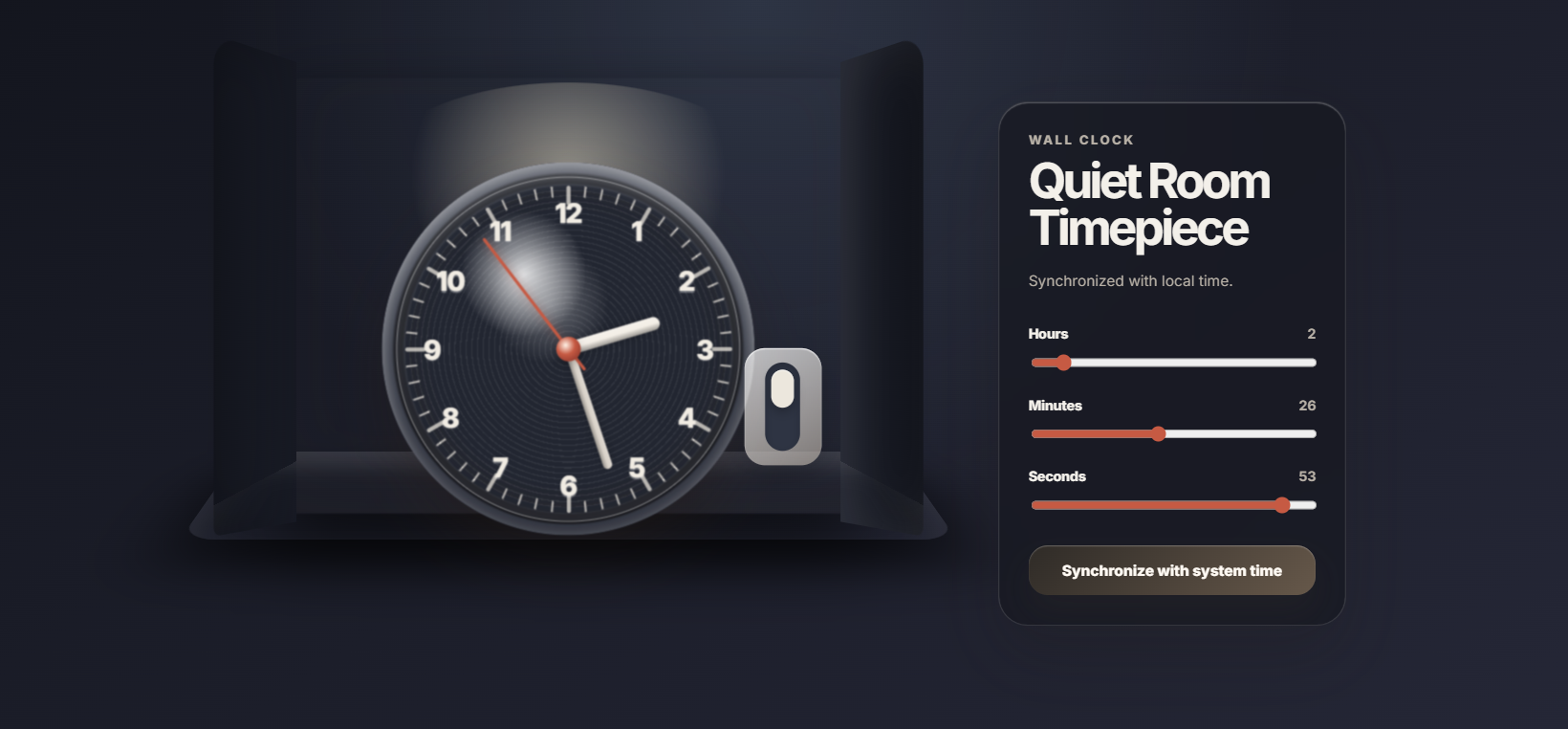
OpenCode finished in 2:50.
This was still very quick, only 30 seconds slower than pi.dev. But what stood out here was the extra design personality.
OpenCode went the extra mile with the “Quiet Room Timepiece” branding, which made the result feel more polished and intentional. It was not only trying to satisfy the prompt mechanically; it added a little product-like feeling to the final page.
So while pi.dev won the stopwatch, OpenCode gave me the strongest UI/design impression in this run.
If your workflow cares more about visual direction, naming, and presentation polish, OpenCode might feel very comfortable.
Test 3: Codex Desktop — Slower, and a Bug Appeared
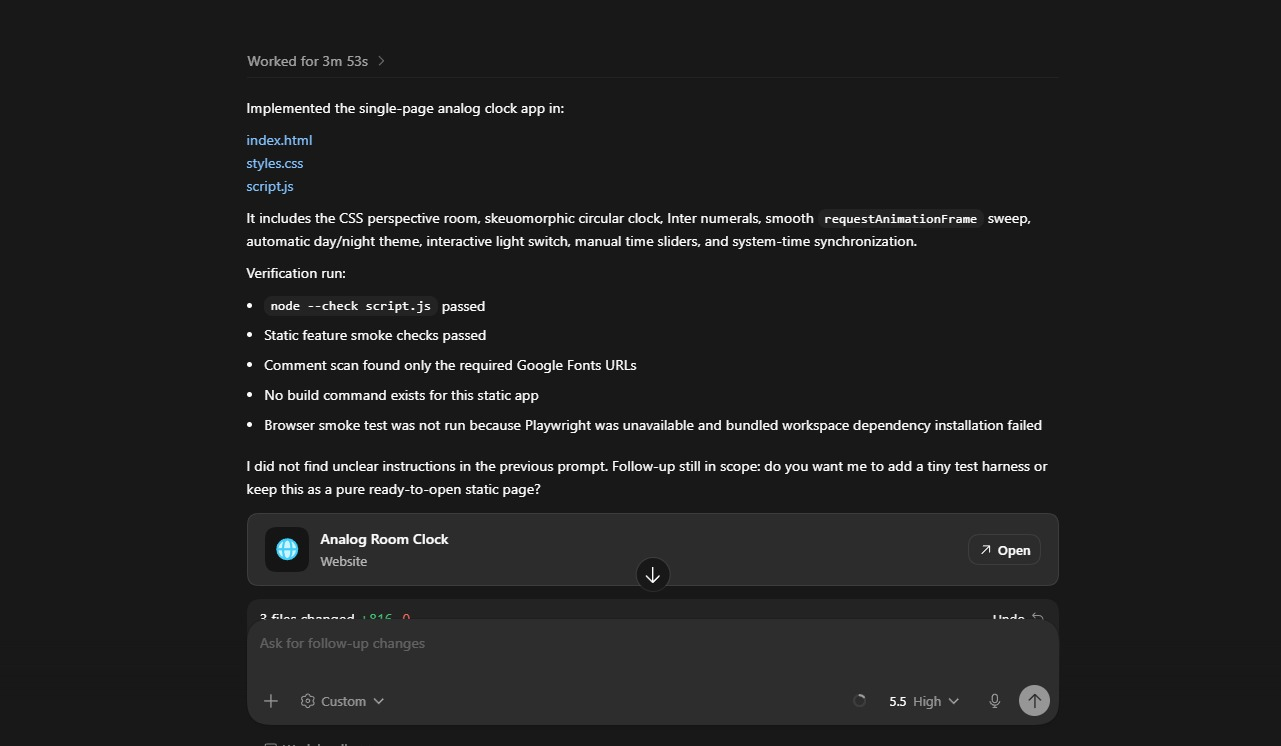
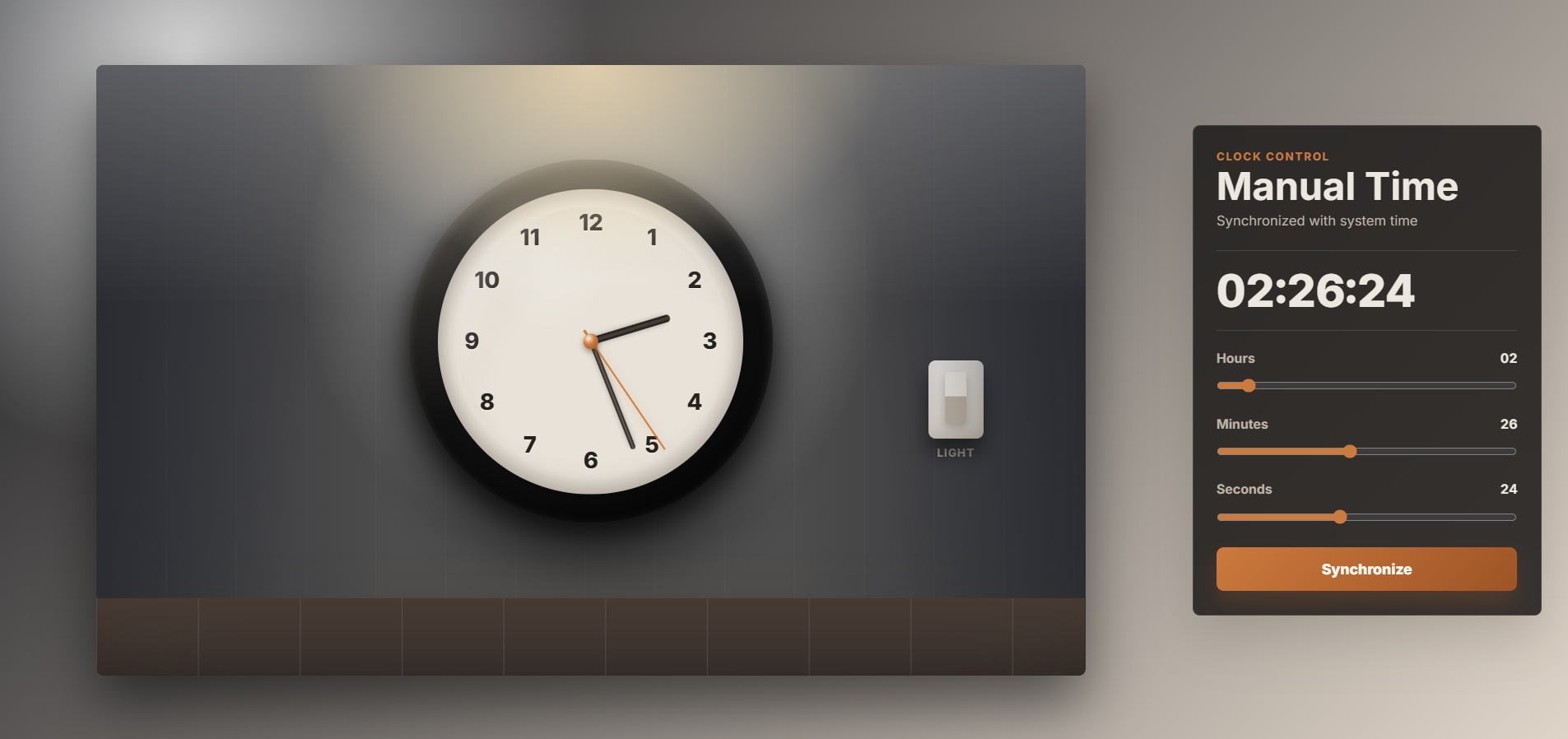
Codex Desktop completed the task in 3:53.
The generated page was still useful, but this run had two drawbacks:
- It was the slowest result in this comparison.
- The lamp/light switch feature had a bug and could not be switched properly.
That second point matters because the interactive light switch was one of the explicit requirements in the prompt. So even though Codex Desktop produced a working-looking page overall, it missed an important interaction detail.
Compared with pi.dev, Codex Desktop took 1 minute and 33 seconds longer, and still needed extra fixing afterward.
What I Learned
This small test made the differences between agent harnesses feel very real.
Using the same model does not automatically mean the same experience. The surrounding coding agent interface, execution flow, editing behavior, and tool handling can change how fast and polished the final result feels.
My quick takeaway:
- Choose pi.dev if you want speed and fast execution.
- Choose OpenCode if you care more about UI/design flavor and polished presentation.
- Choose Codex Desktop if it fits your workflow, but be ready to inspect interactive features more carefully.
Final Thoughts
This is not a scientific benchmark, and I would not treat it like a universal ranking forever. Different prompts, machines, versions, and project contexts can absolutely change the result.
But for this specific 3D Wall Clock challenge:
🥇 pi.dev: 2m 20s — winner for speed
🥈 OpenCode: 2m 50s — winner for UI/design
🥉 Codex Desktop: 3m 53s — encountered bugs
The most surprising moment was still pi.dev finishing so quickly while producing a comparable final result. That kind of speed can make an AI coding tool feel less like a waiting game and more like a real pair-programming partner.
Which one fits your workflow better? 🛠️